
Homer
8.6k 760What is Homer ?
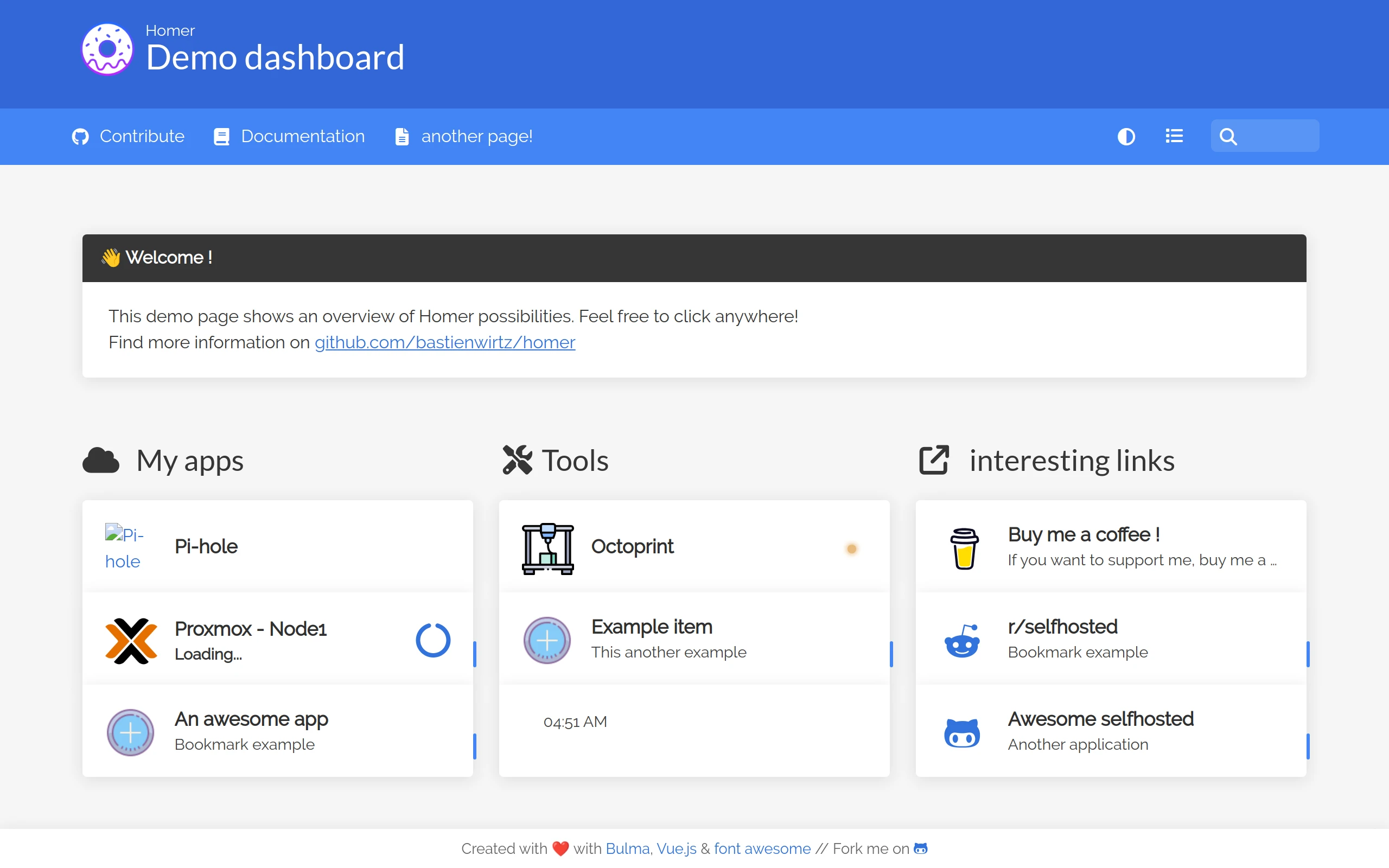
A dead simple static Homepage for your server to keep your services on hand, from a simple yaml configuration file.
Homer Demo
https://homer-demo.netlify.app

Homer Features
- yaml file configuration
- Installable (pwa)
- Search
- Grouping
- Theme customization
- Offline health check
- keyboard shortcuts:
/Start searching.EscapeStop searching.EnterOpen the first matching result (respects the bookmark’s_targetproperty).Alt/Option+EnterOpen the first matching result in a new tab.
Getting started
Homer is a full static html/js dashboard, based on a simple yaml configuration file. See documentation for information about the configuration (assets/config.yml) options.
It’s meant to be served by an HTTP server, it will not work if you open the index.html directly over file:// protocol.
Using docker
docker run -d \ -p 8080:8080 \ -v </your/local/assets/>:/www/assets \ --restart=always \ b4bz/homer:latestThe container will run using a user uid and gid 1000. Add --user <your-UID>:<your-GID> to the docker command to adjust it. Make sure this match the ownership of your assets directory.
Environment variables:
-
INIT_ASSETS(default:1) Install example configuration file & assets (favicons, …) to help you get started. -
SUBFOLDER(default:null) If you would like to host Homer in a subfolder, (ex: http://my-domain/**homer**), set this to the subfolder path (ex/homer). -
PORT(default:8080) If you would like to change internal port of Homer from default8080to your port choice. -
IPV6_DISABLE(default: 0) Set to1to disable listening on IPv6.
With docker-compose
A docker-compose.yml file is available as an example. It must be edited to match your needs. You probably want to adjust the port mapping and volume binding (equivalent to -p and -v arguments).
Then launch the container:
cd /path/to/docker-compose.yml/docker-compose up -dUsing the release tarball (prebuilt, ready to use)
Download and extract the latest release (homer.zip) from the release page, rename the assets/config.yml.dist file to assets/config.yml, and put it behind a web server.
wget https://github.com/bastienwirtz/homer/releases/latest/download/homer.zipunzip homer.zipcd homercp assets/config.yml.dist assets/config.ymlnpx serve # or python -m http.server 8010 or apache, nginx ...Using Helm
Thanks to @djjudas21 charts:
helm repo add djjudas21 https://djjudas21.github.io/charts/helm repo update djjudas21
# install with all defaultshelm install homer djjudas21/homer
# install with customisationswget https://raw.githubusercontent.com/djjudas21/charts/main/charts/homer/values.yaml# edit values.yamlhelm install homer djjudas21/homer -f values.yaml
Build manually
# Using yarn (recommended)yarn installyarn build
# **OR** Using npmnpm installnpm run build
Then your dashboard is ready to use in the /dist directory.